
Nature Trio: Relax Launcher
Good Products AsarfiPersonalization
4.7108.00 Reviews
- Version
- 1.3.0
- Installs
- 100.00K
- Age Rating
- Teen
Screenshots
Our Review of Nature Trio: Relax Launcher
 Analysis by Appyee
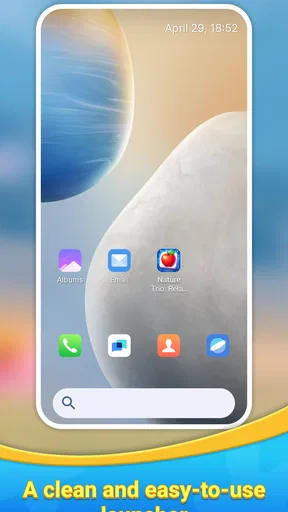
I spent time with Nature Trio: Relax Launcher as a personalization app, and its appeal became clear fairly quickly: it is designed to make the desktop feel calmer while combining launcher tools, icon customization, wallpapers, and a matching utility in one place. That combination gives it a more focused identity than a simple wallpaper app, but it also means the experience depends on how much control you want over your home screen.
The app is free, which makes it easy to try without treating the installation as a major commitment. It comes from Good Products Asarfi and has built a modest audience, with over 50 thousand installs and a 4.4 average from around 450 ratings. I would not treat those figures as a guarantee that it will suit every phone, but they do suggest that the basic idea is connecting with Android users.
How Nature Trio feels during everyday use
The first thing I noticed is that this is not trying to be a full replacement for every part of Android. Its role is narrower and more practical: it gives the desktop a coordinated look and adds tools around that visual setup. That matters because a launcher can easily become tiring when it asks you to rebuild your phone from scratch. Here, the nature-focused presentation gives the experience a clear direction instead of leaving you with a random collection of themes.
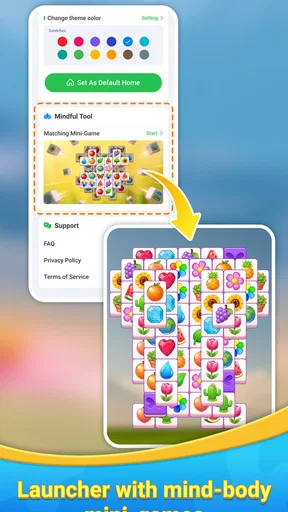
The store short description is simply “Nature Trio,” while the broader concept is a desktop launcher with icon tools, wallpapers, and a matching utility. In practice, I found that combination more useful when treated as a complete visual reset rather than as a single decorative download. The wallpaper establishes the mood, the icons help reduce visual mismatch, and the utility makes sense as part of the same arrangement.
The strongest reason to try it is visual consistency, not endless customization. If your current home screen has icons from several unrelated packs and a wallpaper that no longer feels right, a coordinated launcher can make the device feel less cluttered without requiring a new phone or a complicated setup routine.
Speed expectations before you commit
A launcher sits in a sensitive place on Android because it is involved whenever you return to the home screen. That means perceived speed matters more here than it would in a wallpaper-only app. My advice is to judge Nature Trio by the small transitions you repeat all day: leaving an app, opening the app drawer, moving between home-screen pages, and returning after a notification.
I would not install it expecting a dramatic performance upgrade. Its purpose is personalization, not acceleration. A clean visual arrangement can make a phone feel more orderly, and that sometimes feels faster simply because there is less searching, but that is different from increasing the device’s processing power. The app should be considered a presentation layer with useful tools, not a performance booster.
On a reasonably maintained Android device, the sensible expectation is a smooth enough daily experience when the home screen is kept simple. Large collections of widgets, animated backgrounds, or an overloaded icon layout can make any launcher feel busier. If you care about responsiveness, start with one wallpaper, a practical number of shortcuts, and only the tools you actually use. That approach also makes it easier to identify whether a problem comes from the launcher or from a crowded home screen.
What happens during heavier use
The more demanding moments are not ordinary app launches; they are the moments when you combine several personalization tasks. Changing the wallpaper, adjusting icons, reorganizing shortcuts, and checking the matching utility in one session creates more work than simply returning to the desktop. I recommend making those changes in stages rather than trying to redesign everything at once.
This is also where the app’s focused theme helps. A nature-based setup gives you a visual rule to follow, so you do not need to compare dozens of unrelated styles. I found that choosing the background first made the rest of the arrangement easier. Icons that looked acceptable on a bright image could feel too heavy on a darker one, and the home-screen layout needed enough empty space for the wallpaper to remain visible.
A realistic use case is preparing a phone for a calmer evening routine. I would place only the apps needed after work on the first page, use the nature wallpaper as a visual boundary, and move distracting shortcuts elsewhere. The benefit is not a technical speed boost; it is that the phone becomes easier to read at a glance. When I wanted to reverse that arrangement, the main trade-off was the time spent restoring a previous layout.
That recovery question is important for anyone who changes themes often. Before making a major redesign, take note of your most-used apps and keep the first page deliberately simple. If you decide the new arrangement is not for you, rebuilding a small home screen is much less frustrating than trying to remember a dense layout with many folders and widgets.
Stability and returning to normal
Reliability for a launcher is mostly about consistency. I look for whether the home screen appears when I expect it to, whether shortcuts remain where I left them, and whether the visual tools continue to work together after ordinary use. Nature Trio’s appeal depends on this quiet dependability: the less often you need to think about the launcher, the more successful the personalization feels.
I would still approach any launcher change carefully. Android devices differ in how they handle default home apps, background activity, and system-level customization. A setup that feels effortless on one phone may require more attention on another. That is not a reason to avoid this app, but it is a reason to test the basic return-to-home gesture, open several frequently used apps, and confirm that your preferred arrangement is behaving properly before investing time in fine details.
If you need to recover quickly, keep the original launcher available until you are satisfied. Switching back is a useful safety net when experimenting with a new desktop. I also suggest avoiding a full visual overhaul immediately before an important trip, workday, or presentation. Give yourself a little time to learn where everything is, especially if you have changed both the icons and the position of shortcuts.
The app is marked for a Teen audience, so families should consider that rating when deciding whether it is appropriate for a particular device. The rating does not replace a parent’s judgment, but it is a useful part of the installation decision.
Device limits and compatibility considerations
Nature Trio supports Android 8.0 and later, which covers a wide range of devices but does not include older phones that remain on earlier software. Before downloading, check the Android version in your system settings. This is particularly important if you are trying to refresh an older spare phone, because the launcher’s availability depends on that minimum requirement.
The current version is 1.3.0. I would keep the app updated through the normal app-store process, especially for a launcher, because the home screen is too central to leave an unstable or outdated installation in place. At the same time, an update is a good moment to check whether your layout still looks the way you intended rather than assuming every visual detail will remain unchanged.
Resource demands are difficult to judge from appearance alone. A nature wallpaper may look lightweight, but the overall experience also depends on the launcher arrangement, icon work, and whatever else is active on the phone. My practical recommendation is to watch how your device behaves over a normal day after installation. Pay attention to returning to the home screen, opening the app drawer, and switching between your most-used apps. If the phone feels less responsive, simplify the layout before deciding that the entire app is unsuitable.
Storage and battery habits can also affect the experience indirectly. Keep enough free space for Android to operate comfortably, avoid stacking unnecessary visual extras, and do not judge the launcher during the first few minutes of setup alone. Initial customization is naturally more active than ordinary use, so the better test is how the phone feels after the novelty has settled.
Where it beats ordinary alternatives
Compared with using the default launcher plus a separate wallpaper app, Nature Trio has a more unified purpose. The usual approach gives you flexibility, but it can also leave you assembling pieces from different sources. One wallpaper may have a different color balance from the icon pack, and a separate utility may feel unrelated to the rest of the desktop. This app is more appealing if you want those elements to feel like one decision.
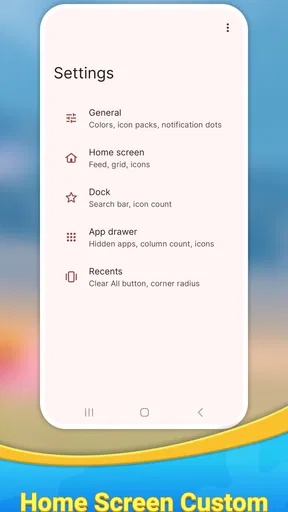
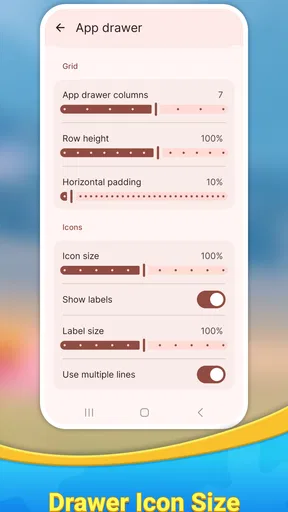
Compared with an advanced third-party launcher built around deep layout controls, it is likely better suited to someone who wants a finished mood rather than a technical project. Enthusiasts who enjoy changing grids, gestures, folders, labels, and every spacing detail may prefer a more configurable alternative. I would choose Nature Trio for a quick visual direction and a calmer starting point, not for turning the home screen into a highly engineered dashboard.
There is also a trade-off against minimalist launchers. A minimalist option may remove nearly everything and focus on text or a tiny set of actions. Nature Trio takes a softer route: it still presents a personalized desktop, but the nature theme is meant to make that desktop feel more pleasant rather than invisible. If your goal is strict distraction reduction, a minimalist launcher may be the better choice. If you want your phone to remain expressive while looking less chaotic, this app makes more sense.
Small workflow choices that improve the result
I found three habits especially useful. First, choose the wallpaper before arranging icons. The image determines which parts of the screen should remain open, and it prevents you from building a layout that later hides the most attractive area.
Second, use the icon tools selectively. Applying a consistent treatment to every shortcut can look neat, but it can also make important apps harder to recognize if you rely on their original symbols. I prefer keeping the apps I open most often easy to identify and using the visual tools more broadly on secondary pages.
Third, treat the matching utility as part of a routine rather than as another icon to fill space. Put it where it supports the purpose of the setup, then remove it from the first page if it becomes visual noise. A launcher should serve your habits, not force you to keep every related tool in front of you.
These choices also reveal the app’s main limitation: it can encourage you to spend more time arranging the phone than you planned. Personalization is enjoyable, but it is easy to keep adjusting colors, positions, and shortcuts without gaining anything practical. Set a stopping point. Once the first page is readable and your essential apps are easy to reach, further changes may be cosmetic rather than useful.
Who should install it, and who should skip it
I would recommend Nature Trio to someone who wants a nature-inspired desktop with matching visual elements and does not want to assemble the experience from several unrelated apps. It is a good fit for a personal phone that feels visually stale, a secondary device that needs a clear identity, or a user who wants a gentle reset without turning customization into a hobby.
I would be more cautious if your phone is already close to its limits, if you depend on a very specific default-launcher workflow, or if you dislike changing the location of familiar controls. Users who need extensive gesture configuration and granular layout engineering should compare it with a specialist launcher instead. Likewise, anyone seeking a measurable speed improvement should look at storage management, background apps, and system maintenance rather than expecting a personalization tool to solve performance problems.
For people who frequently switch between work and personal layouts, the app may also require patience. A coordinated theme looks best when it is allowed to remain stable, while constant changes can make the home screen feel unsettled. I see it as a “set up thoughtfully, then live with it” launcher rather than a tool for daily experimentation.
My performance verdict after living with the setup
Nature Trio: Relax Launcher succeeds when its visual focus matches what you want from your phone. It gives the desktop a recognizable nature-based character and brings icon tools, wallpapers, and a related utility into a single personalization experience. The free price makes experimentation easy, and the Android 8.0 minimum keeps it available to many users.
My verdict is positive, with a clear condition: keep the layout restrained and evaluate it on your own device during normal use. The app does not need to promise faster hardware to feel worthwhile. Its practical gain is a home screen that is easier to understand and more pleasant to return to. When the arrangement is kept simple, that can make everyday interaction feel lighter.
The 4.4 average and growing install base make it a reasonable candidate for trying, but I would still protect your existing setup until you know how the launcher fits your habits. Give yourself time to test the return-to-home behavior, check your important shortcuts, and see how the phone feels after the initial customization session. If you want a coordinated, nature-led refresh rather than an endlessly configurable control center, Nature Trio: Relax Launcher is worth a look. If maximum control, strict minimalism, or measurable performance gains matter more, another kind of launcher will serve you better.
Verdict
Strengths of Nature Trio: Relax Launcher
- Calming nature visuals create a soothing atmosphere during everyday phone use.
- Simple matching gameplay is easy to understand without a lengthy tutorial.
- Gentle pacing makes it suitable for short, relaxing play sessions.
- Minimalist design keeps menus and interactions easy to navigate.
- Can provide a pleasant break from more demanding puzzle games.
Limitations of Nature Trio: Relax Launcher
- Relaxing gameplay may feel repetitive after extended sessions.
- Limited challenge could disappoint players seeking competitive puzzle mechanics.
- Nature-themed visuals may not appeal to users who prefer faster, brighter games.
- Some features or content may require additional purchases or unlocks.
- Performance and battery use can vary across older Android and iOS devices.
Similar Picks in This Category
View All
Microsoft SwiftKey AI Keyboard
SwiftKey4.3

Wallpapers
Google LLC4.1

Zedge™ Wallpapers & Ringtones
Zedge4.7

Yandex Browser with Alice AI
Direct Cursus Computer Systems Trading LLC4.3

Ringtone Maker:create ringtone
Big Bang Inc.4.7

Fonts Keyboard
Fonts Keyboard3.9
Frequently Asked Questions
What is Nature Trio: Relax Launcher?
Nature Trio: Relax Launcher is a mobile launcher designed to give your Android home screen a calmer, more nature-inspired appearance. Instead of focusing only on productivity or customization, it combines a relaxing visual style with everyday launcher functions such as accessing apps, organizing shortcuts, and navigating your device. It may appeal to users who want their phone interface to feel less busy and more peaceful.
How does Nature Trio: Relax Launcher change the phone’s home screen?
After installation, Nature Trio: Relax Launcher can replace or work alongside your device’s standard home screen, depending on how you configure it. The launcher typically provides a themed environment inspired by natural scenery, along with redesigned icons, backgrounds, menus, or widgets. Before making it your default launcher, it is worth exploring the available settings so you understand how to return to your original home screen if needed.
Is Nature Trio: Relax Launcher free to download and use?
The app may be available to download without an upfront charge, but users should check the current store listing for details about advertisements, optional purchases, premium customization features, or subscription requirements. Launcher apps sometimes offer basic themes for free while reserving additional visual options for paid users. Reviewing the pricing information before installation can help avoid unexpected charges.
Does Nature Trio: Relax Launcher affect phone performance or battery life?
As with any launcher, Nature Trio: Relax Launcher runs as part of the phone’s interface and may use some memory, processing power, and battery in the background. On newer devices, the effect may be barely noticeable, while older or less powerful phones could experience slower transitions or increased battery consumption. If performance changes after installation, try reducing animations, disabling unnecessary widgets, or switching back to the default launcher.
Is Nature Trio: Relax Launcher safe to install?
The safest approach is to download Nature Trio: Relax Launcher only from the official Google Play Store or another trusted platform, verify the developer name, and read the latest user reviews before installing. Pay close attention to the permissions requested, especially those involving apps, notifications, accessibility, or device settings. A launcher needs certain access to function, but permissions should still be reasonable and clearly explained.
